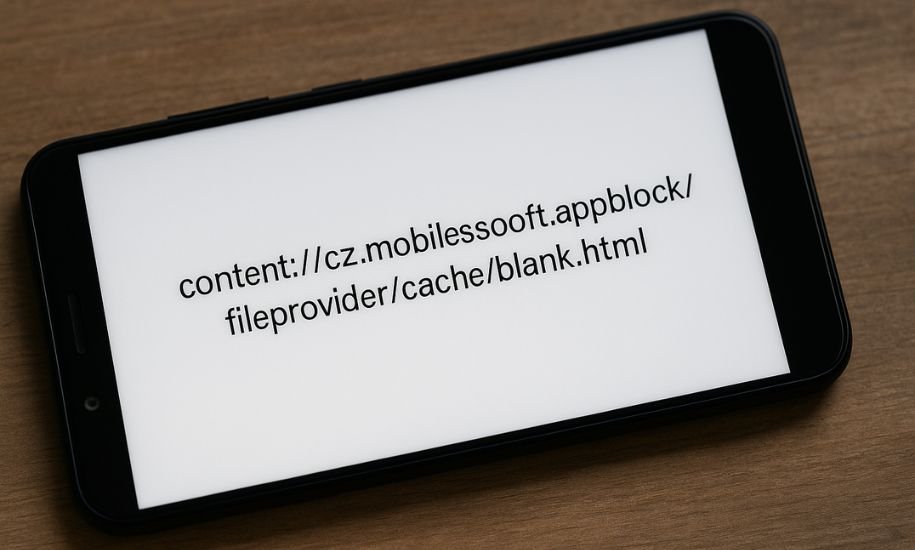
In the world of Android smartphones and applications, certain file paths and content URIs may appear confusing to regular users. If you’ve seen content://cz.mobilesoft.appblock.fileprovider/cache/blank.html, you might be asking what it is, whether it’s dangerous, and why it appears on your device. This comprehensive guide explores the origins, purpose, and safety of this URI to help you understand exactly what it means and what to do about it.
What Is a Content URI in Android?
To decode the meaning behind content://cz.mobilesoft.appblock.fileprovider/cache/blank.html, we first need to understand what a Content URI is.
In Android, applications are sandboxed, meaning each app’s files are stored in its own private space. To securely share data between apps, Android uses Content URIs (Uniform Resource Identifiers). Instead of exposing direct file paths (like file://), the system allows controlled access through content://. This ensures that only apps granted permission can read or modify those files.
The ContentProvider component manages this sharing process. It acts as an intermediary, responding to requests for data and enforcing permissions. When an app uses FileProvider, a special subclass of ContentProvider, it can safely expose files in its storage by referencing them through content URIs. This prevents the exposure of internal file structures and improves data security.
Breaking Down the URI: “content://cz.mobilesoft.appblock.fileprovider/cache/blank.html”
Let’s break down each part of this URI:
-
content:// — This prefix indicates that the resource is being accessed through Android’s secure content system.
-
cz.mobilesoft.appblock.fileprovider — This is the authority, which identifies the specific content provider. It belongs to the AppBlock application, developed by Mobilesoft.
-
/cache/blank.html — This indicates the file’s location within the app’s cache directory. The file is named blank.html, suggesting it is a simple HTML placeholder.
This URI points to a file called “blank.html” that is stored temporarily in the AppBlock app’s cache. The “FileProvider” allows the app to reference this file securely without directly exposing its location.
What Is AppBlock?
AppBlock is a productivity and digital wellness app developed by Mobilesoft. It allows users to block distracting apps, websites, and notifications during specific times. Its goal is to help users stay focused, manage screen time, and improve concentration.
The app achieves this by intercepting requests to open certain apps or web pages and redirecting the user to a blank page or a “blocked” notice. In this case, that blank page is the blank.html file found in the app’s cache directory. This behavior explains why the content URI might appear in logs or notifications — it’s part of AppBlock’s normal operation.
Why You Might See “content://cz.mobilesoft.appblock.fileprovider/cache/blank.html”
There are several reasons this URI may show up on your device:
-
Blocked Content Replacement:
When AppBlock prevents access to a specific app or website, it redirects your device to a neutral blank page, represented by this URI. -
WebView or Browser Redirection:
If a blocked webpage attempts to load, AppBlock substitutes it with its internal blank HTML file to avoid loading the blocked site. -
Debugging or Log Output:
Some versions of Android or AppBlock may log internal file accesses for debugging purposes, revealing the content URI. -
Cache Operation:
Since the file resides in the app’s cache folder, it might appear in cache viewers or system diagnostics tools. -
Temporary Permissions:
When an Android system grants temporary read access to other components or apps, it can display the content URI to identify the shared file.
In all these cases, the appearance of this URI is normal and not a sign of malware.
Is It Safe?
Yes, content://cz.mobilesoft.appblock.fileprovider/cache/blank.html is safe. It’s a legitimate internal file used by the AppBlock app to display a blank placeholder page. There’s no evidence of it being associated with viruses, spyware, or malicious activity.
Here are a few key points regarding safety:
-
It belongs to the trusted AppBlock app from Mobilesoft, available on the Google Play Store.
-
The file is stored within the app’s own cache — isolated from system directories.
-
The URI is protected by Android’s permission model; other apps can’t access it without authorization.
-
The file itself, blank.html, typically contains no active content — just an empty HTML structure.
If you haven’t installed AppBlock but still see this URI, you should verify whether a similar productivity app is installed under a different name. If it’s not, uninstall unknown apps or run a malware scan for safety.
Technical View: How It Works Internally
Developers often use FileProvider to handle file sharing safely. Here’s a simplified view of how the AppBlock app may implement this process:
-
Provider Declaration in Manifest:
The app defines a provider entry in itsAndroidManifest.xmlfile, using the authoritycz.mobilesoft.appblock.fileprovider. -
Defining Shared Paths:
The app includes a configuration XML (for example,res/xml/file_paths.xml) that maps internal directories like cache or files. -
Creating Blank HTML File:
When blocking a site, the app generates or references a simple file named blank.html, containing minimal HTML markup such as<html><body></body></html>. -
Generating Content URI:
Using the FileProvider, the app converts the file into a secure URI using the functiongetUriForFile(). -
Redirecting WebView:
The app instructs its WebView or blocking mechanism to load that URI instead of the original blocked site. -
Automatic Cache Clearing:
The blank.html file resides in cache and may be automatically removed when space is needed or when you clear AppBlock’s cache.
This system maintains both performance and privacy — users see no distracting content, and no unprotected file paths are exposed.
Common Misunderstandings and Myths
Some users misinterpret this URI as a sign of malware or an error message. Let’s clarify common myths:
-
Myth 1: It’s a Virus
False. It’s an internal file reference used by a legitimate productivity app. -
Myth 2: It Steals Data
No,blank.htmlis an empty placeholder. It doesn’t contain scripts or trackers. -
Myth 3: It’s an Android Error
It’s not an error. Seeing this URI usually means the app is performing a normal redirect operation. -
Myth 4: It’s a Hidden File You Should Delete
It’s safe to leave it. Even if you delete it, AppBlock will recreate it when needed.
Troubleshooting Tips
If you’re encountering issues related to AppBlock or this URI, try the following steps:
-
Clear App Cache:
Go to Settings → Apps → AppBlock → Storage → Clear Cache to remove temporary files. -
Update AppBlock:
Always use the latest version to ensure compatibility with your Android version. -
Review Permissions:
Make sure AppBlock only has permissions relevant to blocking apps and monitoring screen time. -
Uninstall If Unused:
If you don’t use AppBlock, uninstall it. The URI will disappear afterward. -
Monitor Log Behavior:
If the URI continues to appear in unrelated apps or logs, check for duplicate blocking apps or unnecessary background services.
Developer Tips for Using FileProvider
For app developers, the use of FileProvider offers valuable lessons:
-
Always declare a unique authority to avoid conflicts with other apps.
-
Expose only necessary directories, such as cache or images.
-
Grant temporary read permissions to other apps using intent flags.
-
Avoid exposing sensitive directories like
/data/or/system/. -
Clean cache periodically to prevent redundant files.
-
Use descriptive filenames such as
blank.htmlorplaceholder.htmlfor clarity.
This ensures safe file management and protects user privacy.
Why the File Is Named “blank.html”
The file name blank.html is a deliberate design choice. Its purpose is to serve as a neutral, distraction-free placeholder. When AppBlock intercepts a request, it replaces the actual website with a blank screen. This prevents exposure to unwanted content and helps users remain focused.
Placing it inside the cache directory means it can be regenerated anytime. It’s not meant to store any persistent or personal data.
What to Do If You See It Unexpectedly
If this URI appears on your device but you don’t have AppBlock installed:
-
Check for similar apps (Focus mode, Digital Wellbeing, etc.) that may use the same framework.
-
Review recently installed apps for suspicious names.
-
Run a trusted antivirus or malware scanner.
-
Consider performing a factory reset if you find unknown software repeatedly generating such URIs.
However, in most cases, this URI’s presence alone doesn’t indicate any harm. It’s simply a byproduct of legitimate system operations.
Understanding Android’s Security Around Content URIs
The Android system’s switch from file:// to content:// URIs was a major step in improving security. With content://, apps can’t directly access each other’s files unless granted permission. This prevents data leaks, tampering, and accidental exposure.
Therefore, the existence of content://cz.mobilesoft.appblock.fileprovider/cache/blank.html is proof that the AppBlock app is using recommended Android security practices — not bypassing them.
When to Be Cautious
While this URI is generally safe, stay alert if:
-
You notice strange pop-ups unrelated to AppBlock.
-
You didn’t install AppBlock but still see the URI in multiple apps.
-
The blank.html file is large or contains active JavaScript.
-
The URI appears in connection with suspicious app names.
In those cases, verify app legitimacy and consider uninstalling unknown software.
The Broader Context: Productivity and Privacy Apps
Apps like AppBlock, Digital Detox, Stay Focused, and FocusMe all use similar placeholder mechanisms. Redirecting blocked content to a local blank page is a clean, efficient way to enforce focus rules. These apps often maintain local HTML files to act as visual placeholders, ensuring a consistent user experience even offline.
The existence of such URIs shows the care developers take to respect both functionality and privacy. Instead of using remote servers, they handle redirections locally, safeguarding users from data transmission risks.
Key Takeaways
-
content://cz.mobilesoft.appblock.fileprovider/cache/blank.html is a secure, harmless internal URI used by the AppBlock app.
-
It points to a simple cached file called “blank.html” that serves as a placeholder for blocked content.
-
It is not malware, not a bug, and not a system error.
-
Users can safely ignore it, clear cache, or uninstall AppBlock if unwanted.
-
Developers can learn from this example about secure file sharing via FileProvider.
Final Thoughts
The URI content://cz.mobilesoft.appblock.fileprovider/cache/blank.html might look intimidating, but it’s just a part of Android’s secure file management system, used by a legitimate app to enhance productivity. Instead of seeing it as a warning, consider it a sign that your system is functioning securely — redirecting blocked pages to safe local resources.
As digital tools become more sophisticated, understanding how your device handles data internally gives you peace of mind. Awareness is the first step to digital confidence.
For more detailed explanations and helpful technology insights, visit American Times, where we simplify tech for everyday readers.
You may also visit: Wattip: Smart Energy Monitoring for a Greener Home